
PalletLogics
Palletising and case packing software. Design the cell, validate it in 3D, generate code for any robot or PLC.
Drag the scene to rotate it
From product dimensions to production-ready code, in one environment.
Design your layer patterns, model the gripper and the cell around them, check the movements in 3D, and generate the controller code. One tool, one project file.
PalletLogics is also controller agnostic. Robot arm or PLC gantry, you set the post processor to match the target language once, and the same project produces code for any platform you quote.
Who it is for
| Role | What it does for you |
|---|---|
| Robotics integrators | Configure, visualise and export robot programs without hand-coding |
| PLC and gantry engineers | Generate structured data and programs for any PLC language |
| Automation OEMs | Deliver consistent, validated solutions faster |
| Commissioning engineers | Find errors in software, before the cell is built |
| Sales and engineering | Branded PDF reports for client review and sign-off |
One project, any controller
Every robot maker ships palletising software, and it generally works only with their own controllers. Quote one brand on Monday and another on Friday, and you end up maintaining a separate software stack for each. If the job runs on a PLC gantry rather than an arm, none of them help.
The PalletLogics post processor is yours to configure: syntax, type declarations, motion instructions, operators, variable names, routine names. Define a language once, export it as XML, and reuse it on later jobs.
So the equipment can be chosen for the application rather than for the software you already own.
Patterns that rescale on the fly
In most systems a box size change is an engineering event. Someone regenerates the pattern offline, downloads it, re-tests it. Production waits.
PalletLogics writes placement positions into the generated code as live expressions of the box dimensions: multiples of item length and width plus offsets, worked out by the controller itself. Change the dimensions and the whole pattern rescales on the machine. No re-teach, no re-download, no waiting.
It is the difference between handing the robot a list of numbers and handing it the logic that produced them.
Code you can read
Plenty of automation software generates output you cannot read and are not allowed to touch. That is fine right up until 2am during commissioning, when something needs a small change and the answer is to log a support ticket.
PalletLogics generates structured code a person can read. Your variable names, your routine names, your conventions. Whoever is commissioning the cell can open it and change it.
The software does the repetitive work. The engineer stays in control.
Validate before the steel is cut
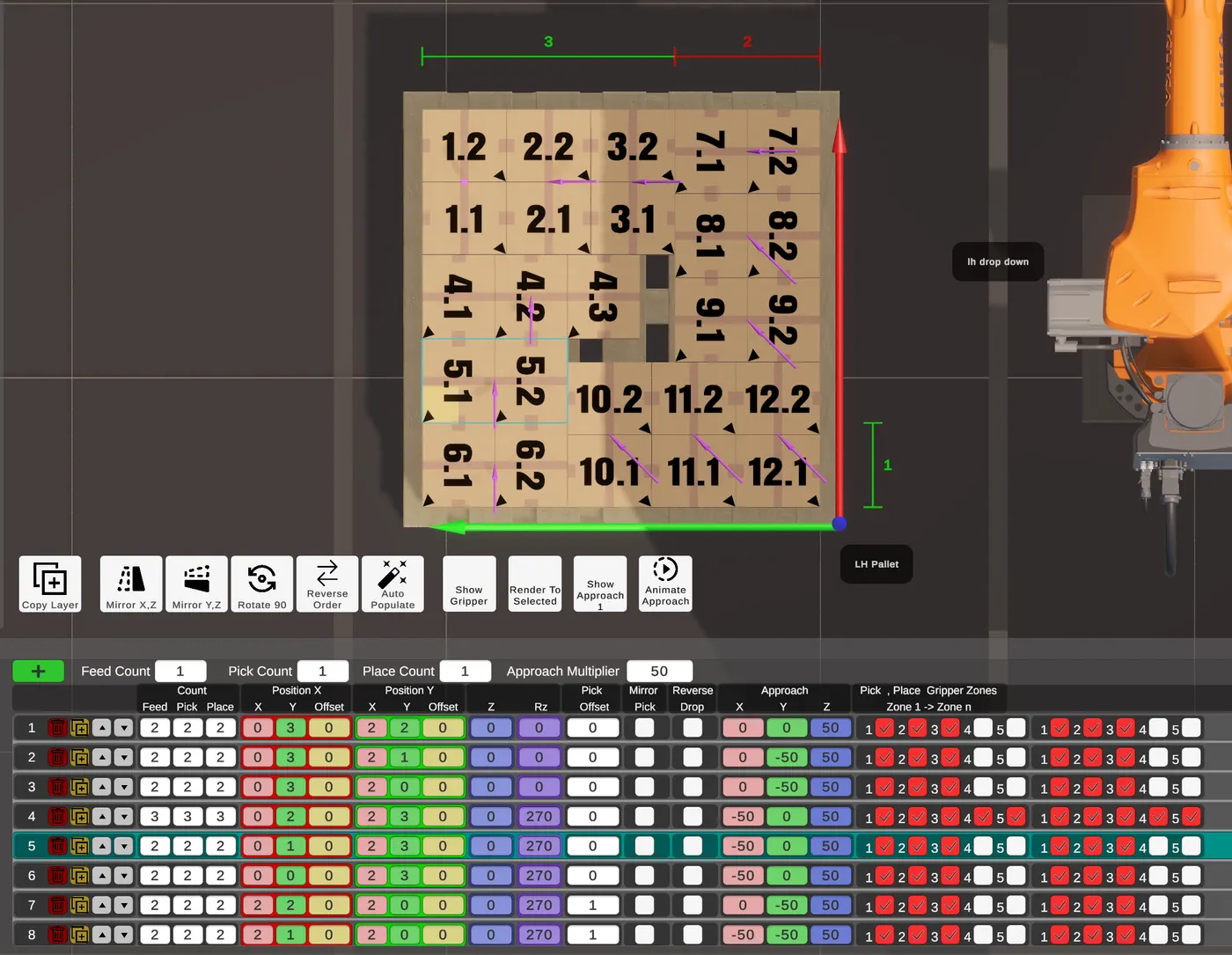
The jobs that keep you up at night are the tight ones. A gripper threading between rows, a restricted approach angle, placing against a half built stack without clipping its neighbours.
Every sequence gets up to three approach positions, and the gripper is drawn at each one with transparency, so you can see what is happening inside the container. Approach vectors show as 3D arrows.
It means the awkward placements can be worked out at a desk rather than on site.
Layers built for you, then refined by hand
Give it your item dimensions, container size and gripper width, and the auto-populate engine works up the patterns. It runs six pattern families, uni-block, bi-block, tri-block, spiral, quad-block and penta-block, plus a recursive tree search alongside them to catch arrangements the named patterns miss.
Up to eight ranked candidates come back, scored on box count, pattern quality, footprint squareness and packing tightness. Take the best one, or use it as a starting point and refine by hand with the viewport gizmo and drag handles. Group sizes are capped by your gripper width, so nothing it suggests is impossible to build.
Building across layers, not one at a time
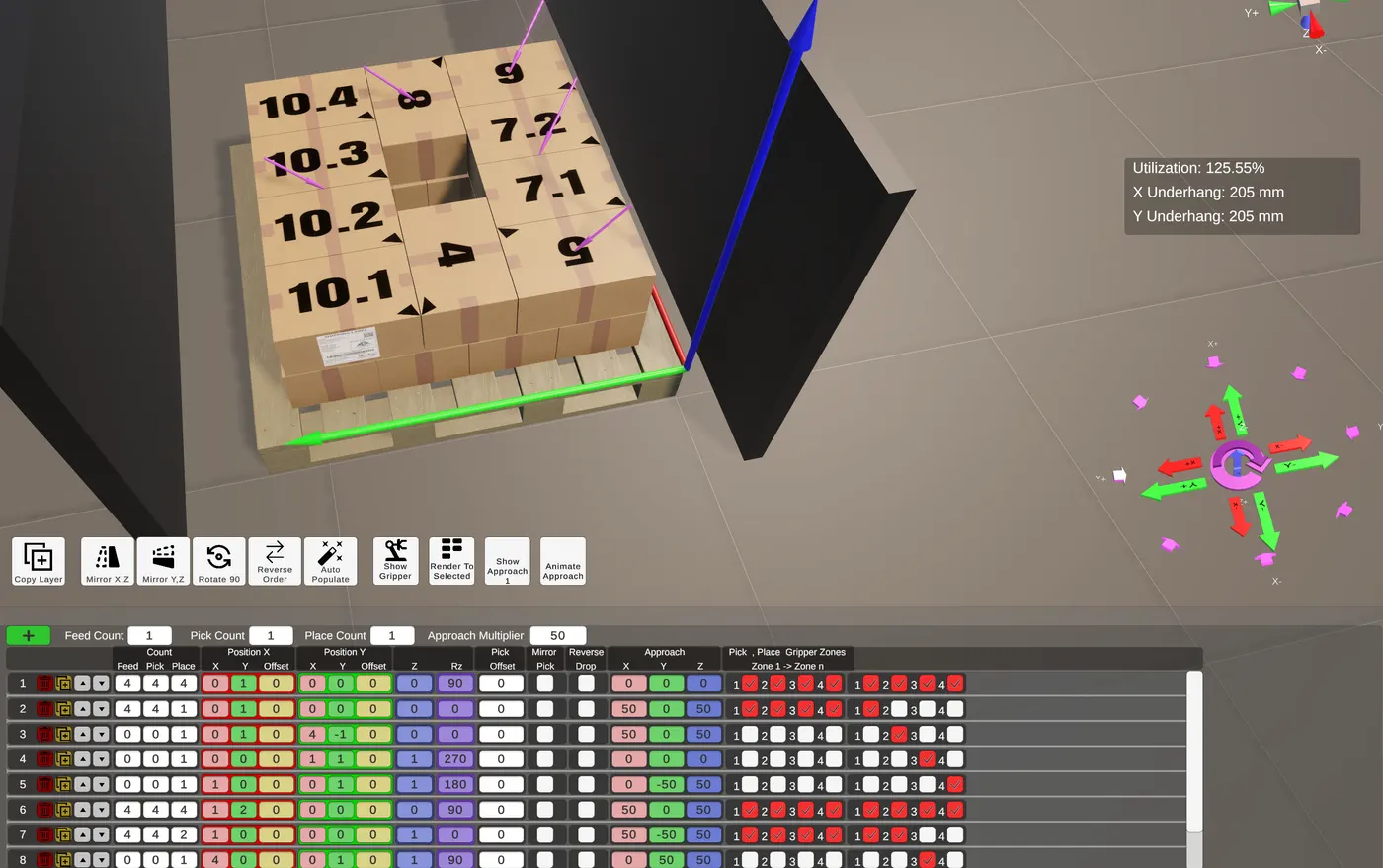
Some cells give you nothing to work with. Space is tight, the gripper is large, and the cycle time has no slack in it. Conventional layer by layer palletising becomes very hard in those jobs: a big gripper needs clearance it does not have, and every extra trip back to the infeed costs time you cannot spare.
This is what 3D layers are for. Instead of finishing one level before starting the next, the robot builds across several height levels at the same time, interleaving placements within a single pass. Fewer trips to the infeed, and the gripper stays inside the working envelope throughout.
Jobs like this are normally sorted out on the machine during commissioning, under time pressure. With 3D layers you can plan the whole build beforehand and watch it run in 3D before anything is installed.
Palletising and case packing, one tool
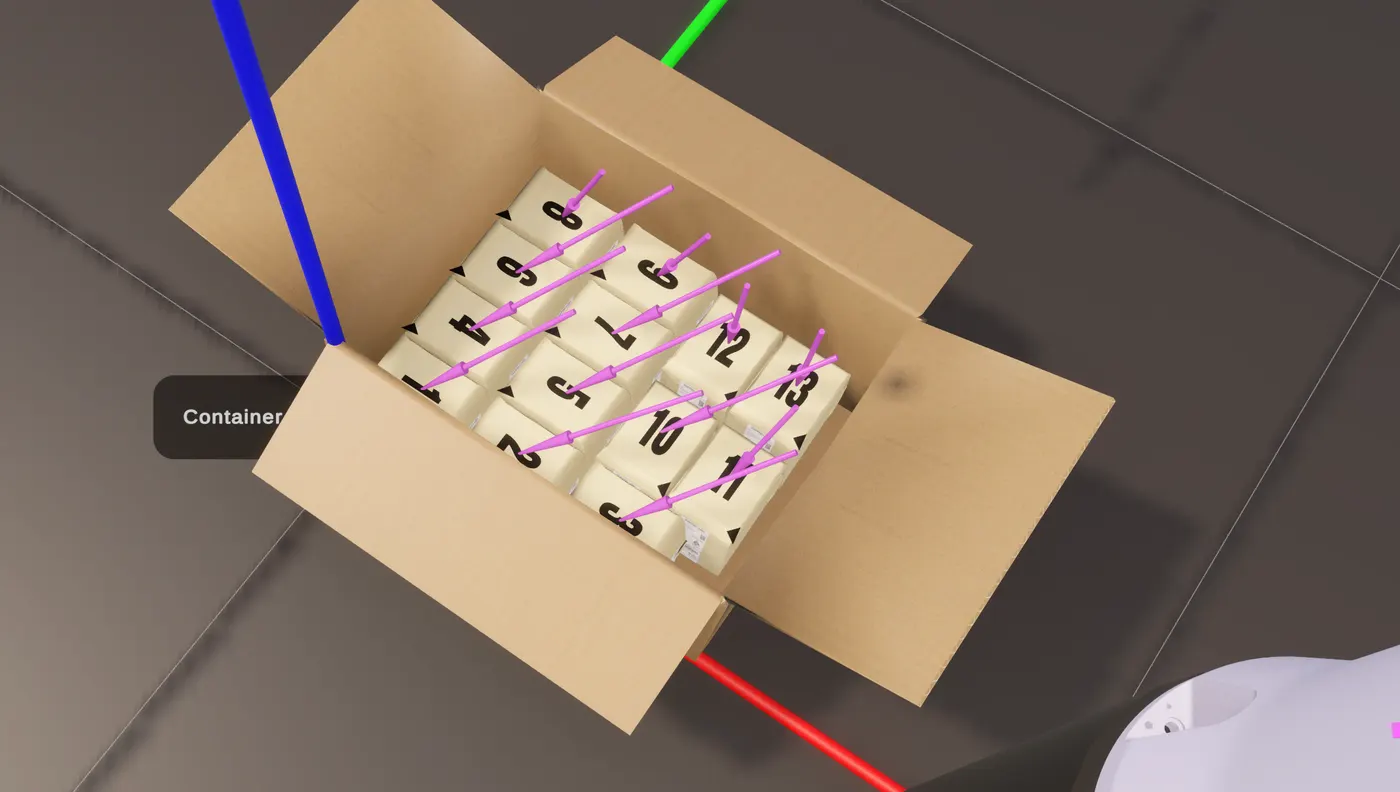
Placing boxes on a pallet and packing product into a carton are the same problem at two scales: layer patterns, gripper access, placement sequences. So you use the same layer designer, the same auto-populate engine, the same 3D validation and the same code generation for both. In the same project, if that is how your line runs.
Sign-off before commissioning
A pallet pattern is not really finished until the client has signed it off, and that conversation is easier before the machine is built.
One click produces a branded A4 landscape PDF from the project: every layer with a 3D view, full sequence data, utilisation percentages and overhang figures. Something you can put in front of a client while the job is still on paper.
Platform
- Windows desktop application
- Single file
.pplxproject format, readable XML, works with version control - Runs locally, no cloud dependency
- Machine-locked licensing, no internet activation
- Evaluation licence available
Try it
Download PalletLogics (Windows, 53 MB)
We ask for your name, business, email and phone number first, so we can answer the licence request when it comes through.
Unzip it, run the installer, and it starts in evaluation mode. That gives you the working software with limits on project size, which is enough to take one of your own jobs from layer design through to generated code.
When you want an evaluation licence, open PalletLogics, go to General Settings and use the licence request. That sends us everything we need to issue one.
See pricing, or the full feature breakdown if you want the detail.